# Vulkan examples and demos
 Future place for examples and demos for Khronos' new 3D and compute API [Vulkan(tm)](https://www.khronos.org/vulkan)
**Sources will be available when Vulkan is released to the public. Current ETA is early 2016**.
See the [Vulkan Working Group Update](https://www.khronos.org/vulkan) for details.
## Vulkan from my point-of-view
I recently [did a write-up](http://www.saschawillems.de/?p=1886) with my personal view on Vulkan for a hobby developer. It goes into detail on some of the most important things to consider when deciding on how to switch over from Vulkan and also clears up some things that several press articles got wrong.
## Vulkan example base class
All examples are derived from a base class that encapsulates common used Vulkan functionality and all the setup stuff that's not necessary to repeat for each example. It also contains functions to load shaders and an easy wrapper to enable debugging via the validation layers.
If you want to create an example based on this base class, simply derive :
```cpp
#include "vulkanexamplebase.h"
...
class MyVulkanExample : public VulkanExampleBase
{
...
VulkanExample()
{
width = 1024;
height = 1024;
zoom = -15;
rotation = glm::vec3(-45.0, 22.5, 0.0);
title = "My new Vulkan Example";
}
}
```
##### Validation layers
The example base class offers a constructor overload for enabling a default set of Vulkan validation layers (for debugging purposes). If you want to use this functionality, simple use the construtor override :
```cpp
VulkanExample() : VulkanExampleBase(true)
{
...
}
```
*todo* : Document helper classes like vulkandebug
## Building
The repository contains a CMakeLists.txt to be used with [CMake](https://cmake.org).
Use it to generate a platform-specific build configuration for building all examples. It should work with different compilers on Windows and Linux (C++11 required).
All required headers and libs are included in the repository, building the examples should work out of the box.
## Examples
### Triangle
Future place for examples and demos for Khronos' new 3D and compute API [Vulkan(tm)](https://www.khronos.org/vulkan)
**Sources will be available when Vulkan is released to the public. Current ETA is early 2016**.
See the [Vulkan Working Group Update](https://www.khronos.org/vulkan) for details.
## Vulkan from my point-of-view
I recently [did a write-up](http://www.saschawillems.de/?p=1886) with my personal view on Vulkan for a hobby developer. It goes into detail on some of the most important things to consider when deciding on how to switch over from Vulkan and also clears up some things that several press articles got wrong.
## Vulkan example base class
All examples are derived from a base class that encapsulates common used Vulkan functionality and all the setup stuff that's not necessary to repeat for each example. It also contains functions to load shaders and an easy wrapper to enable debugging via the validation layers.
If you want to create an example based on this base class, simply derive :
```cpp
#include "vulkanexamplebase.h"
...
class MyVulkanExample : public VulkanExampleBase
{
...
VulkanExample()
{
width = 1024;
height = 1024;
zoom = -15;
rotation = glm::vec3(-45.0, 22.5, 0.0);
title = "My new Vulkan Example";
}
}
```
##### Validation layers
The example base class offers a constructor overload for enabling a default set of Vulkan validation layers (for debugging purposes). If you want to use this functionality, simple use the construtor override :
```cpp
VulkanExample() : VulkanExampleBase(true)
{
...
}
```
*todo* : Document helper classes like vulkandebug
## Building
The repository contains a CMakeLists.txt to be used with [CMake](https://cmake.org).
Use it to generate a platform-specific build configuration for building all examples. It should work with different compilers on Windows and Linux (C++11 required).
All required headers and libs are included in the repository, building the examples should work out of the box.
## Examples
### Triangle
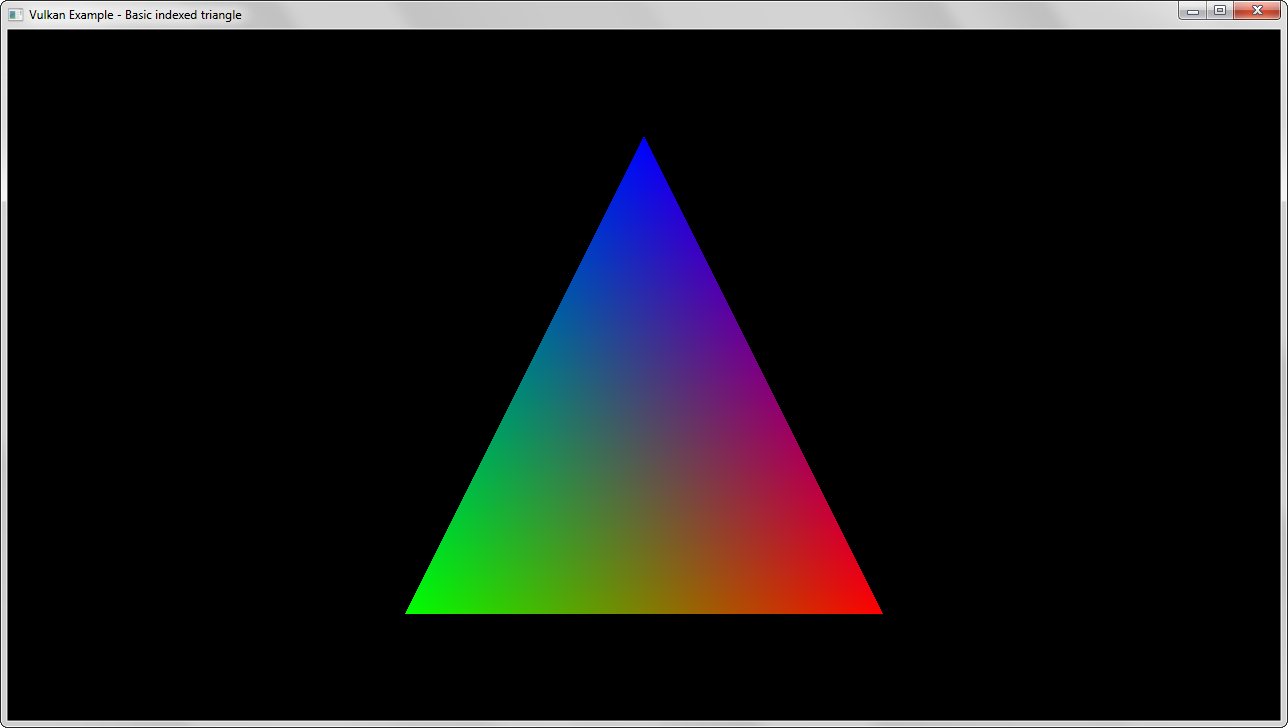 Most basic example. Renders a colored triangle using an indexed vertex buffer, only one pipeline with very simple shaders. Uses a single uniform buffer for the matrices.
### Texture mapping
Most basic example. Renders a colored triangle using an indexed vertex buffer, only one pipeline with very simple shaders. Uses a single uniform buffer for the matrices.
### Texture mapping
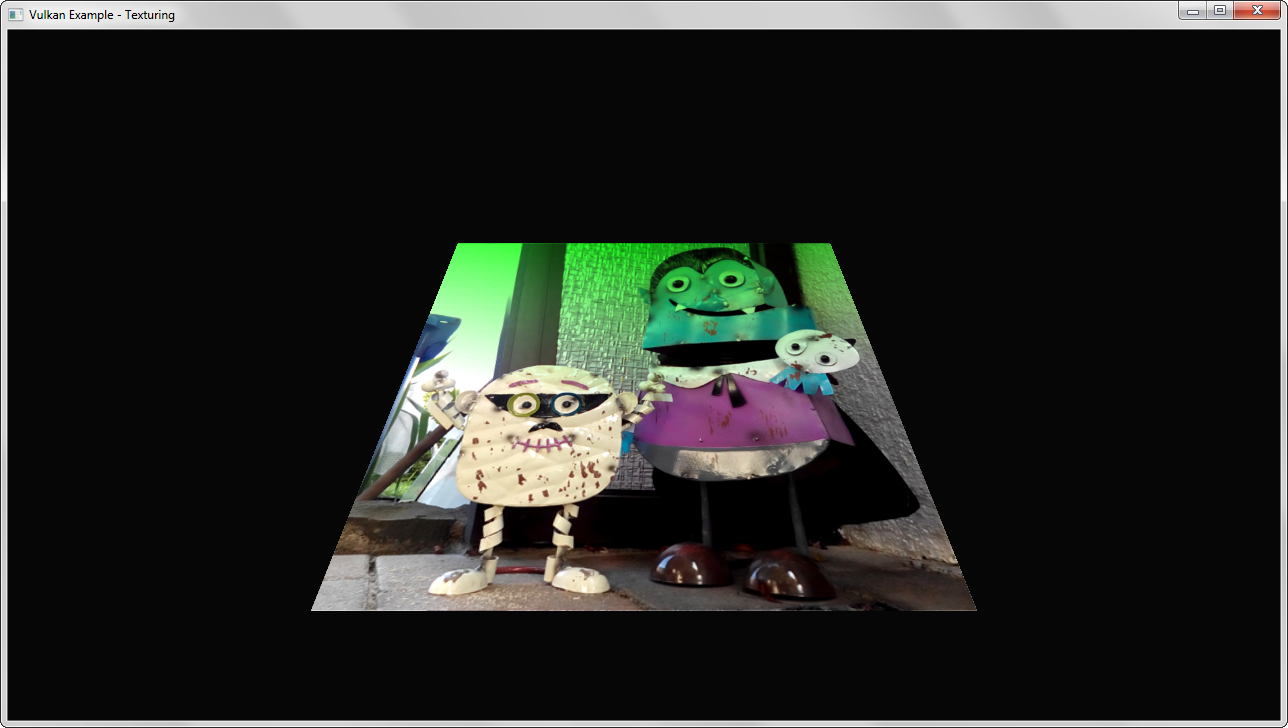 Loads a single texture and displays it on a simple quad. Demonstrates loading a texture to host visible memory (linear tiling) and transforming it into an optimal (tiling) format for the GPU, including upload of available mip map levels.
### Cubemap
Loads a single texture and displays it on a simple quad. Demonstrates loading a texture to host visible memory (linear tiling) and transforming it into an optimal (tiling) format for the GPU, including upload of available mip map levels.
### Cubemap
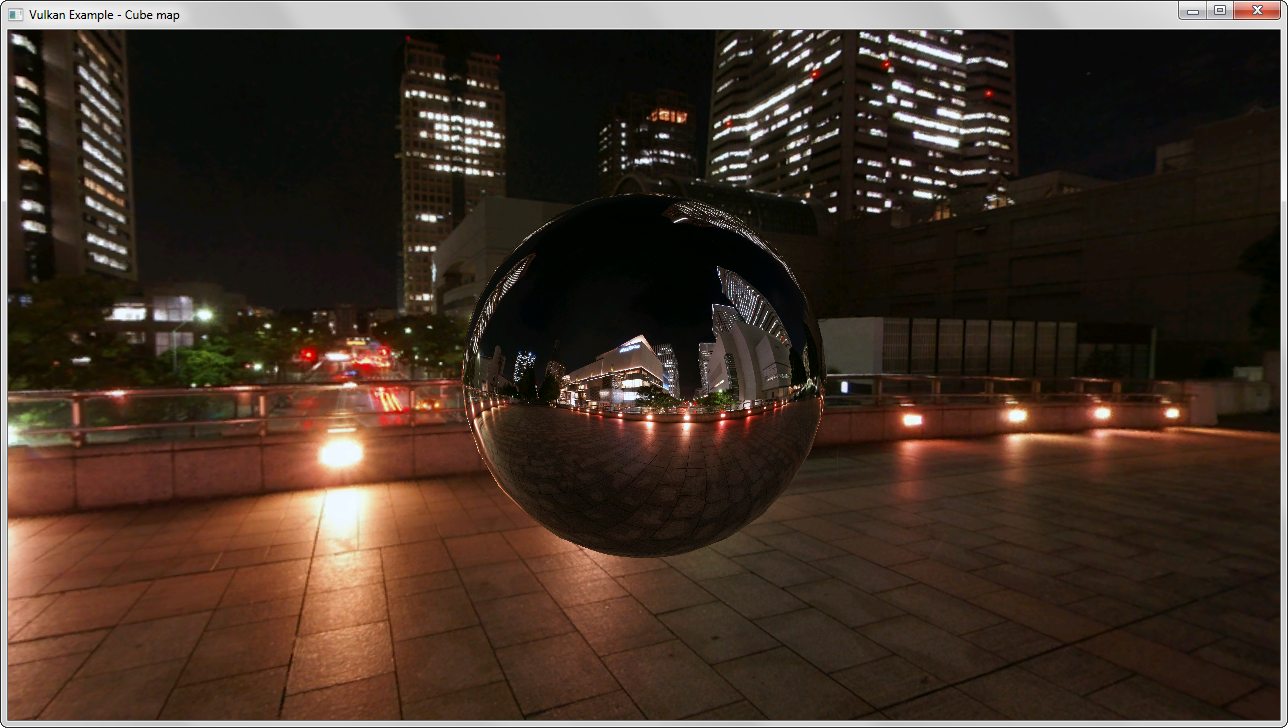 Building on the basic texture loading example a cubemap is loaded into host visible memory and then transformed into an optimal format for the GPU.
The demo uses two different pipelines (and shader sets) to display the cubemap as a skybox (background) and as a source for reflections.
### Texture array
Building on the basic texture loading example a cubemap is loaded into host visible memory and then transformed into an optimal format for the GPU.
The demo uses two different pipelines (and shader sets) to display the cubemap as a skybox (background) and as a source for reflections.
### Texture array
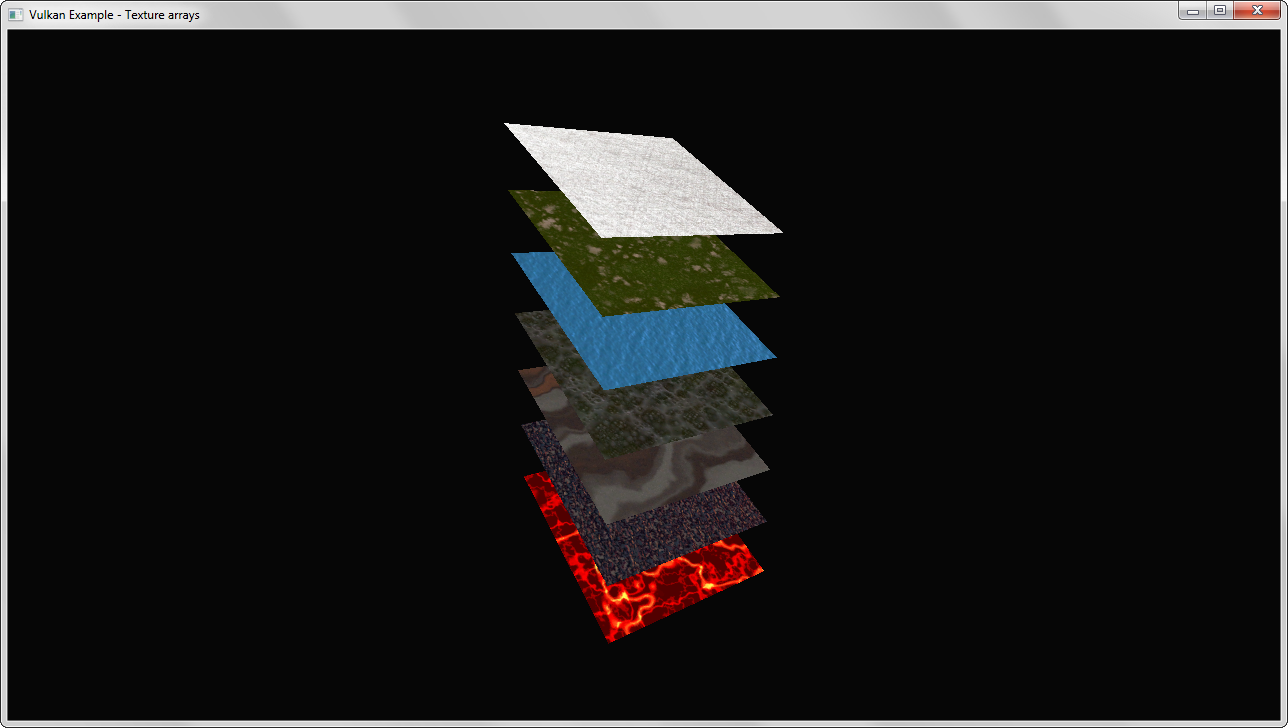 Texture arrays allow storing of multiple images in different layers without any interpolation between the layers.
This example demonstrates the use of a 2D texture array with instanced rendering. Each instance samples from a different layer of the texture array.
### Pipelines
Texture arrays allow storing of multiple images in different layers without any interpolation between the layers.
This example demonstrates the use of a 2D texture array with instanced rendering. Each instance samples from a different layer of the texture array.
### Pipelines
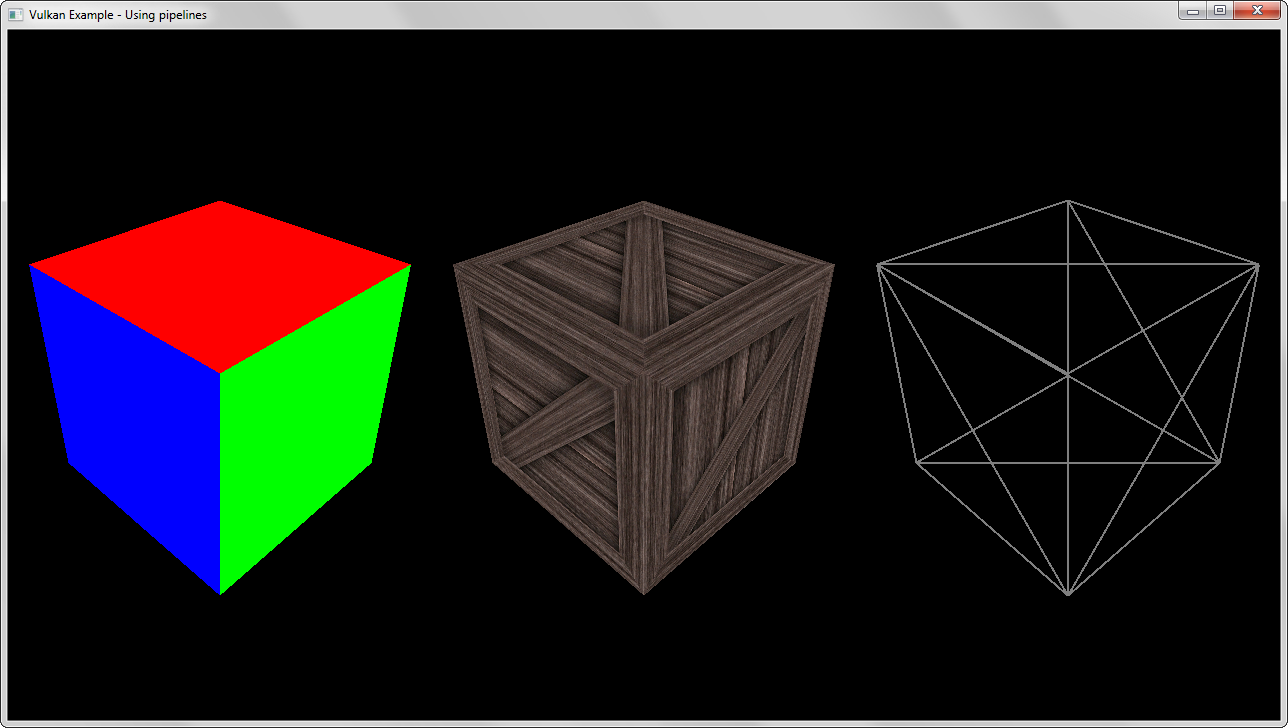 Pipelines replace the huge (and cumbersome) state machine of OpenGL. This example creates different pipelines with different states and shader setups.
### Gears
Pipelines replace the huge (and cumbersome) state machine of OpenGL. This example creates different pipelines with different states and shader setups.
### Gears
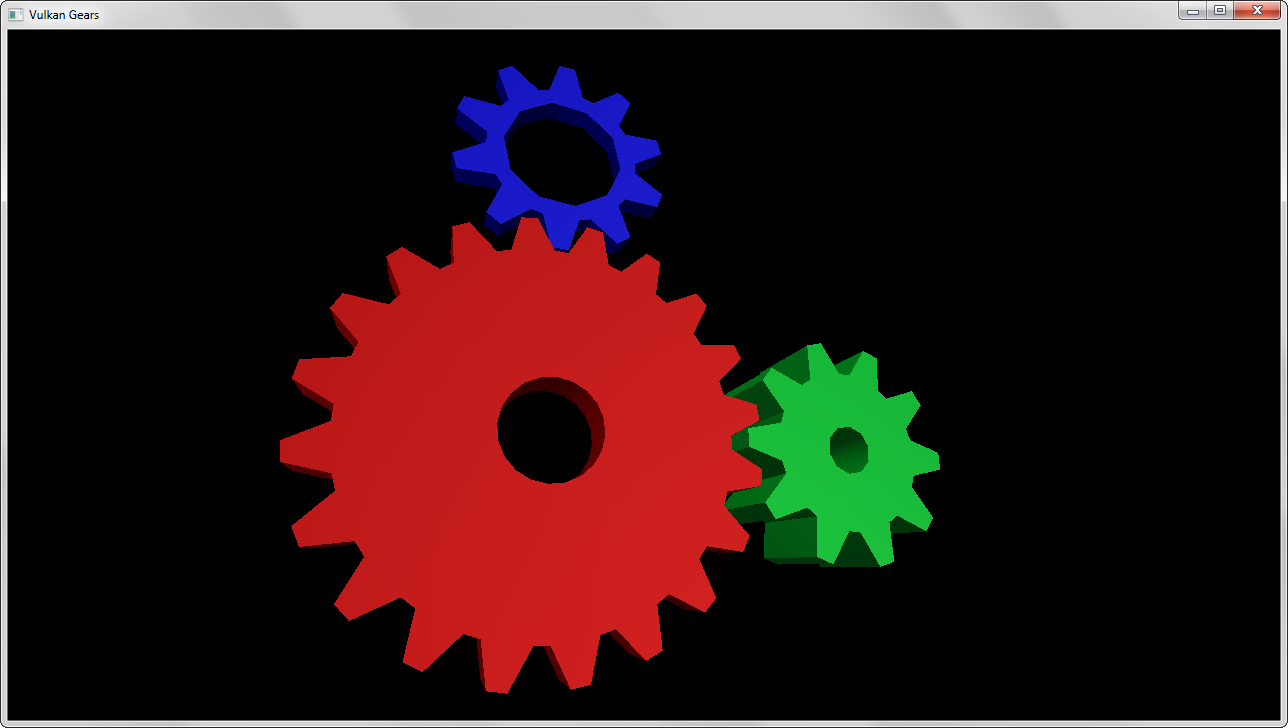 Vulkan interpretation of glxgears. Procedurally generates separate meshes for each gear, with every mesh having it's own uniform buffer object for animation. Also demonstrates how to use different descriptor sets.
### Mesh rendering
Vulkan interpretation of glxgears. Procedurally generates separate meshes for each gear, with every mesh having it's own uniform buffer object for animation. Also demonstrates how to use different descriptor sets.
### Mesh rendering
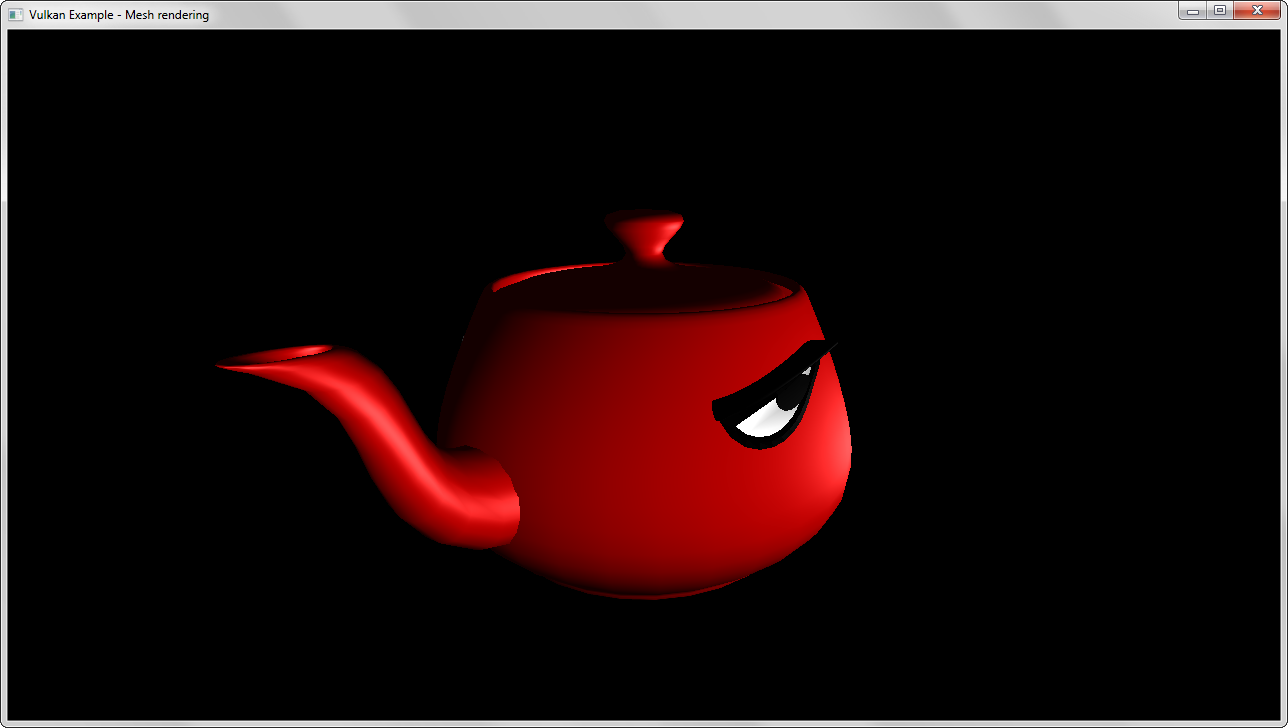 Uses [assimp](https://github.com/assimp/assimp) to load and a mesh from a common 3D format. The mesh data is then converted to a fixed vertex layout matching a basic set of shaders.
### Mesh instancing
Uses [assimp](https://github.com/assimp/assimp) to load and a mesh from a common 3D format. The mesh data is then converted to a fixed vertex layout matching a basic set of shaders.
### Mesh instancing
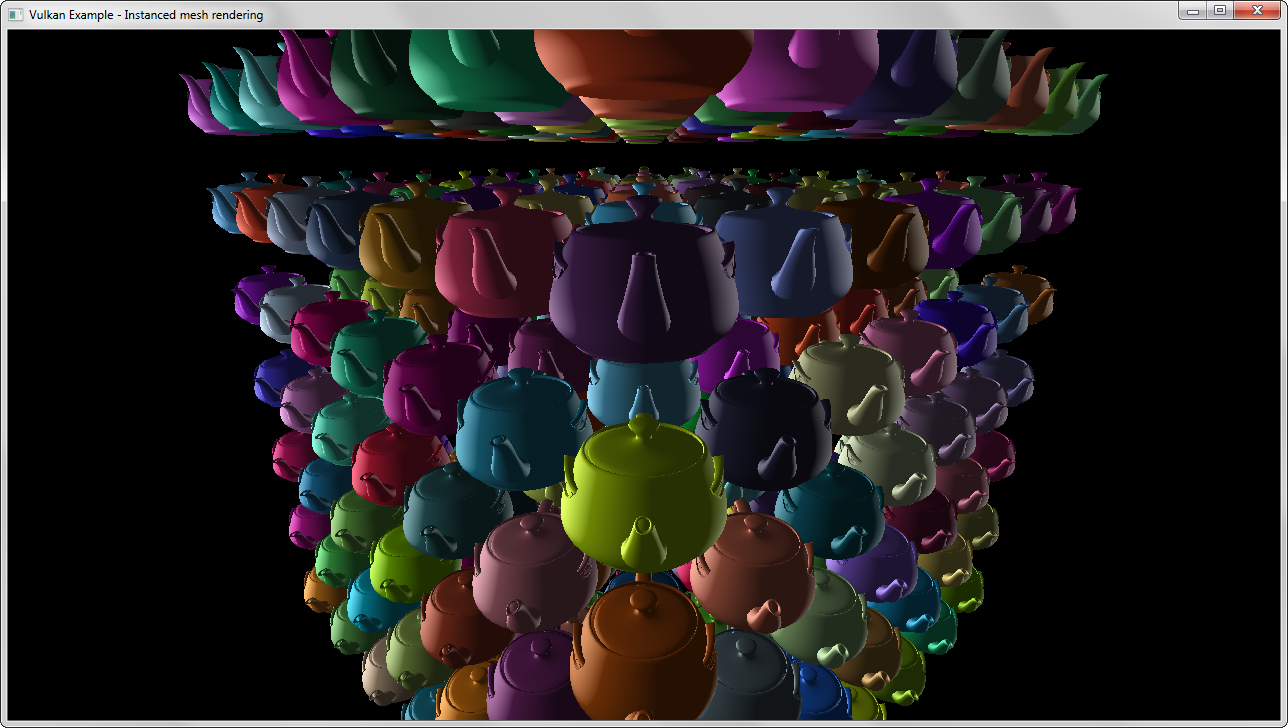 Renders hundreds of meshes using instances with uniforms for e.g. coloring each mesh separately.
### Push constants
Renders hundreds of meshes using instances with uniforms for e.g. coloring each mesh separately.
### Push constants
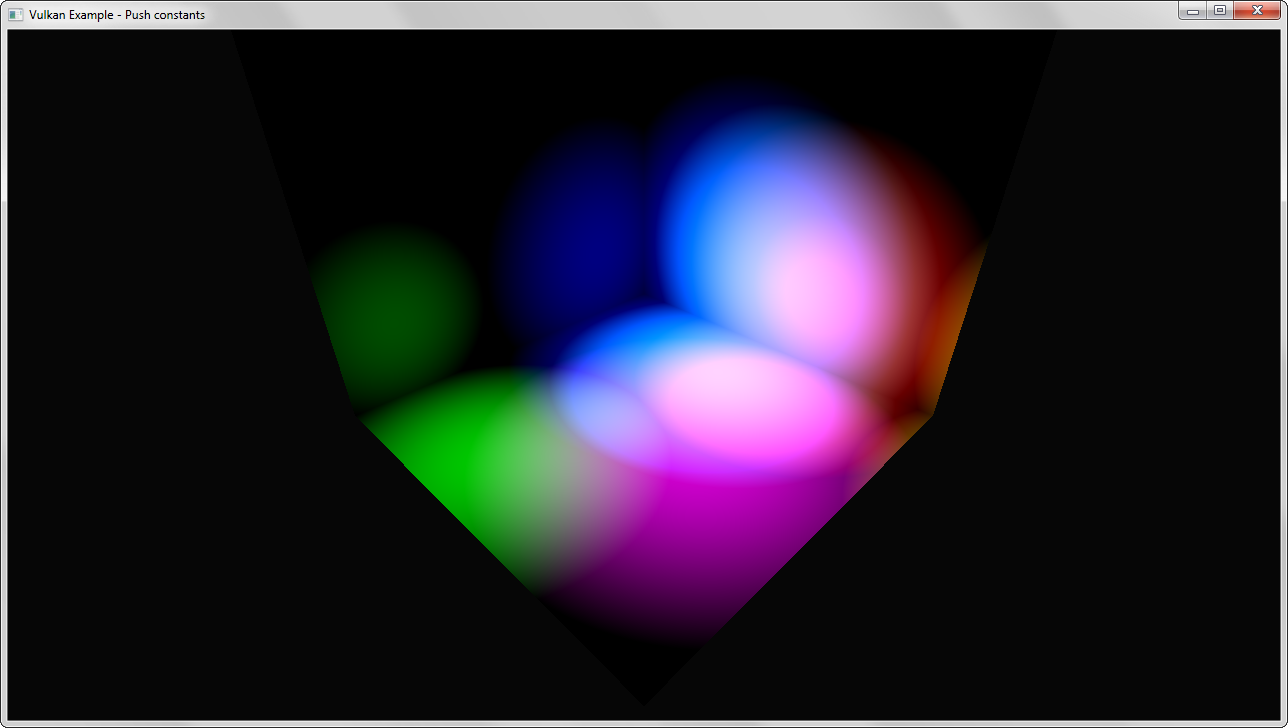 Demonstrates the use of push constants for updating small blocks of shader data with high speed (and without having to use a uniform buffer). Displays several light sources with position updates through a push constant block in a separate command buffer.
### Offscreen rendering
Demonstrates the use of push constants for updating small blocks of shader data with high speed (and without having to use a uniform buffer). Displays several light sources with position updates through a push constant block in a separate command buffer.
### Offscreen rendering
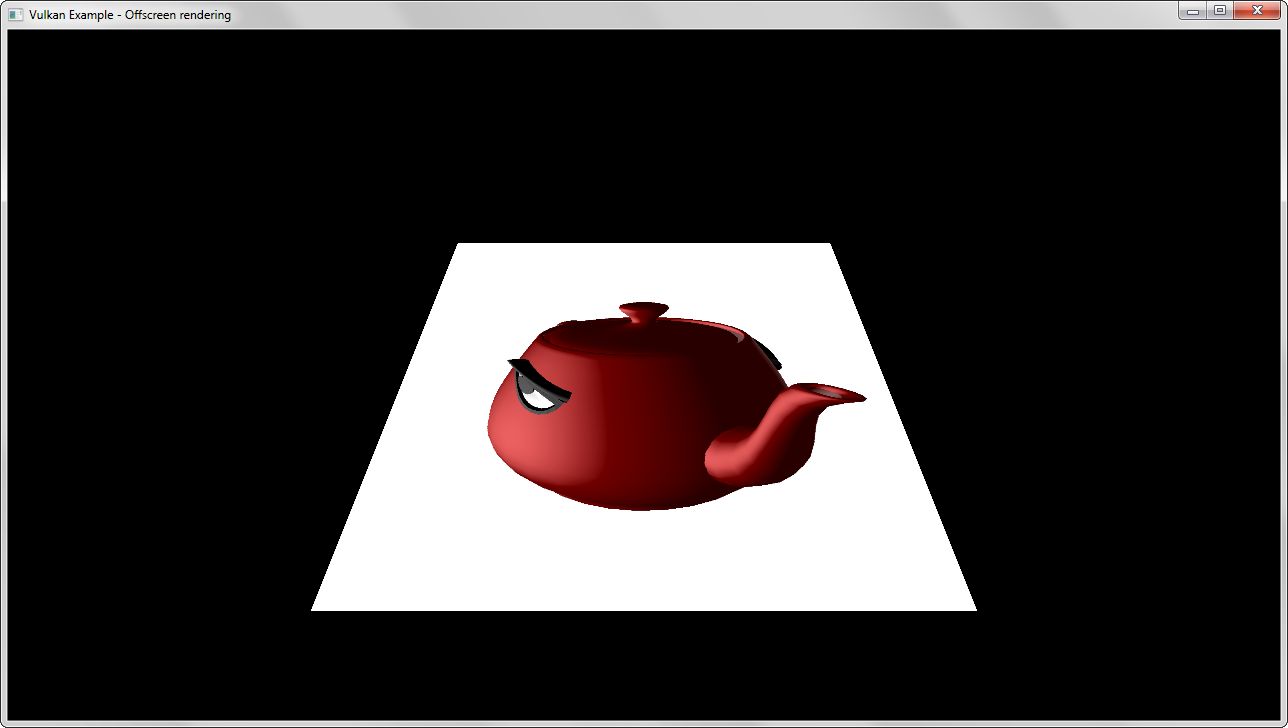 Uses a separate framebuffer (that is not part of the swap chain) for rendering a 3D scene off screen and blits it into a texture target displayed on a quad. The blit does scaling and (if required) also format conversions.
### Radial blur
Uses a separate framebuffer (that is not part of the swap chain) for rendering a 3D scene off screen and blits it into a texture target displayed on a quad. The blit does scaling and (if required) also format conversions.
### Radial blur
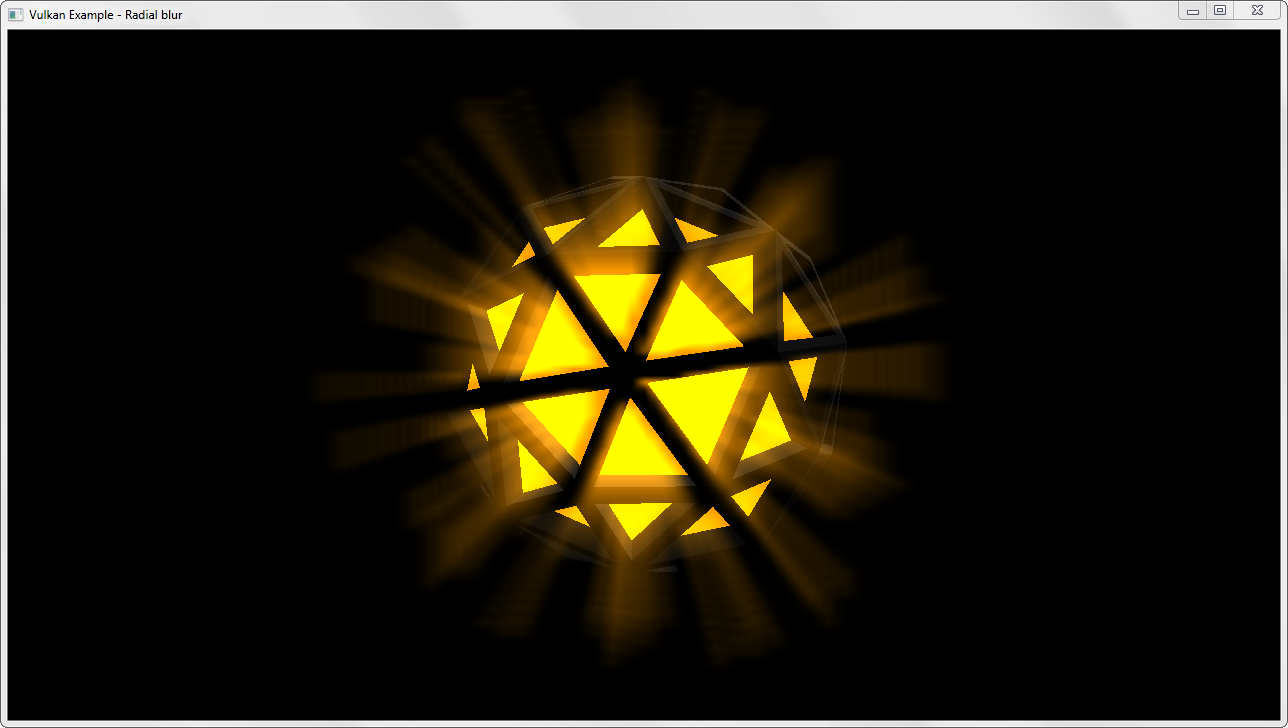 Demonstrates basic usage of fullscreen shader effects. The scene is rendered offscreen first, gets blitted to a texture target and for the final draw this texture is blended on top of the 3D scene with a radial blur shader applied.
### Bloom
Demonstrates basic usage of fullscreen shader effects. The scene is rendered offscreen first, gets blitted to a texture target and for the final draw this texture is blended on top of the 3D scene with a radial blur shader applied.
### Bloom
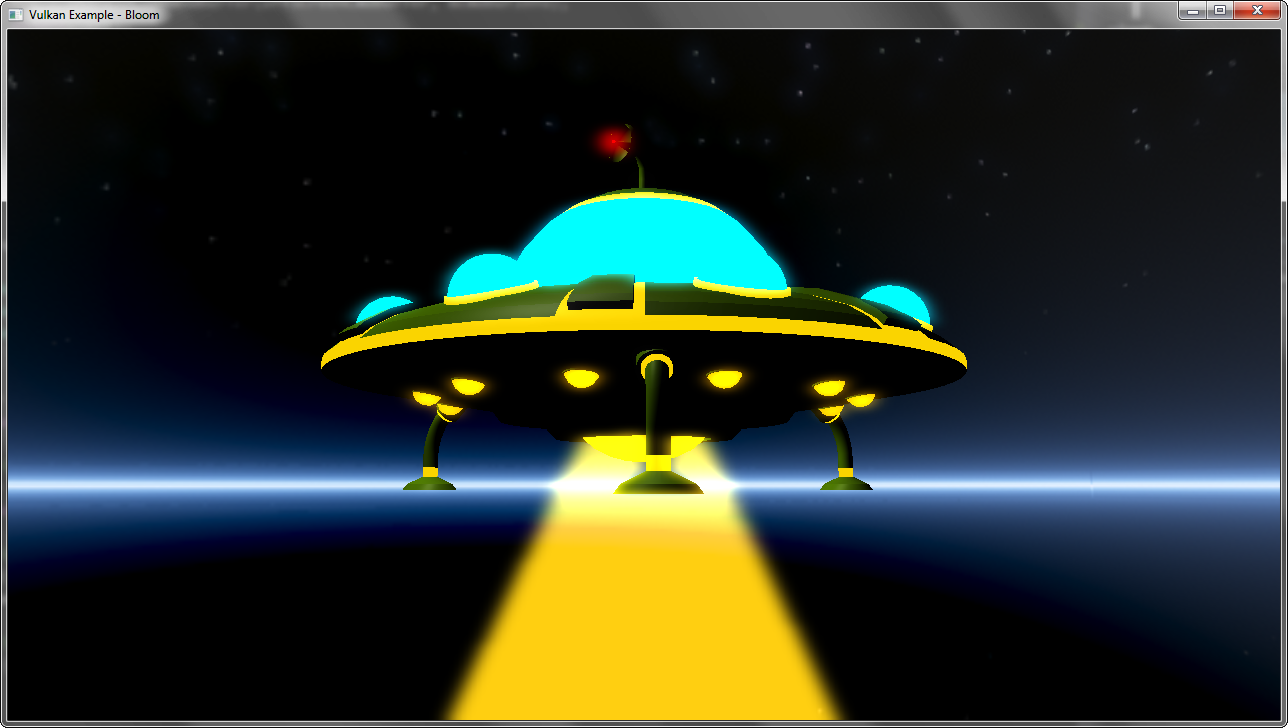 Implements a bloom effect to simulate glowing parts of a 3D mesh. A two pass gaussian blur (horizontal and then vertical) is used to generate a blurred low res version of the scene only containing the glowing parts of th the 3D mesh. This then gets blended onto the scene to add the blur effect.
### Spherical environment mapping
Implements a bloom effect to simulate glowing parts of a 3D mesh. A two pass gaussian blur (horizontal and then vertical) is used to generate a blurred low res version of the scene only containing the glowing parts of th the 3D mesh. This then gets blended onto the scene to add the blur effect.
### Spherical environment mapping
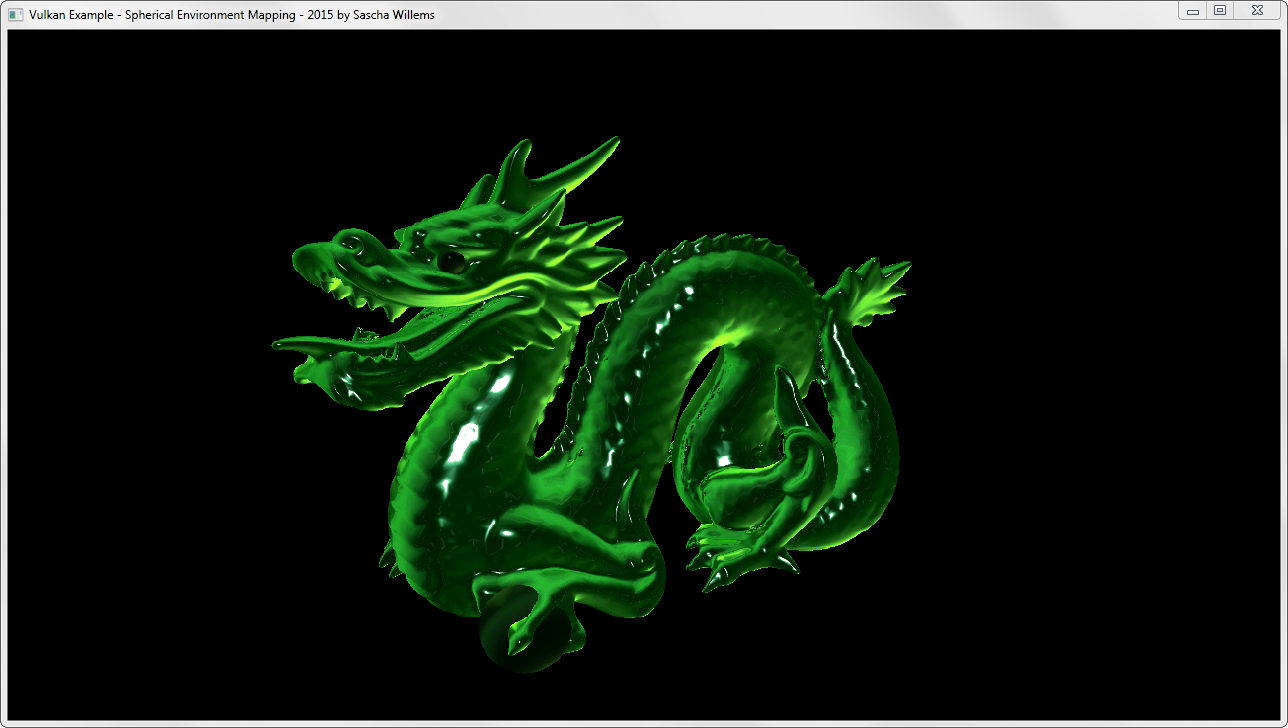 Uses a matcap texture (spherical reflection map) to fake complex lighting. It's based on [this article](https://github.com/spite/spherical-environment-mapping).
### Parallax mapping
Uses a matcap texture (spherical reflection map) to fake complex lighting. It's based on [this article](https://github.com/spite/spherical-environment-mapping).
### Parallax mapping
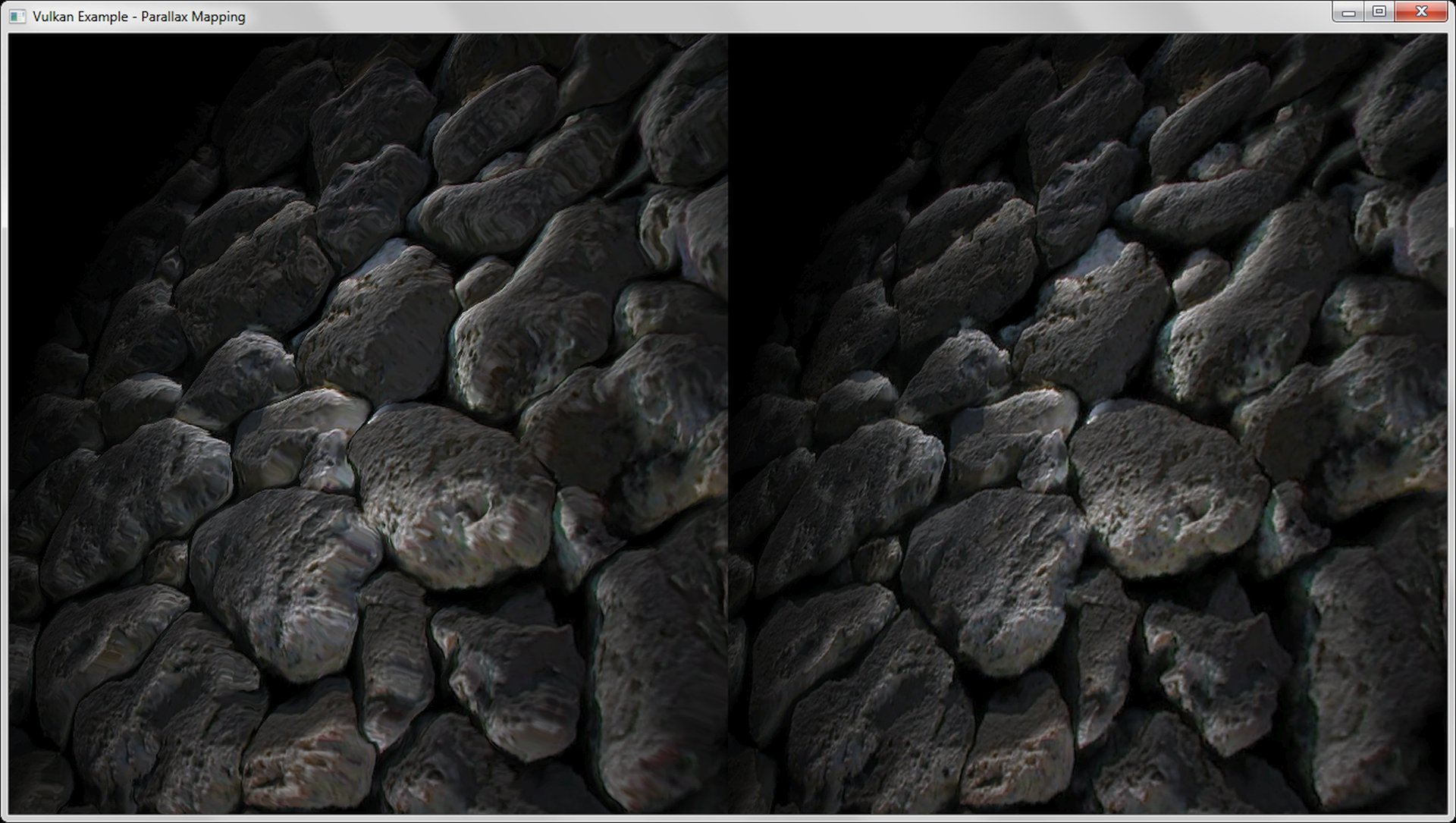 Like normal mapping, parallax mapping simulates geometry on a flat surface. In addition to normal mapping a heightmap is used to offset texture coordinates depending on the viewing angle giving the illusion of added depth.
### (Tessellation shader) PN-Triangles
Like normal mapping, parallax mapping simulates geometry on a flat surface. In addition to normal mapping a heightmap is used to offset texture coordinates depending on the viewing angle giving the illusion of added depth.
### (Tessellation shader) PN-Triangles
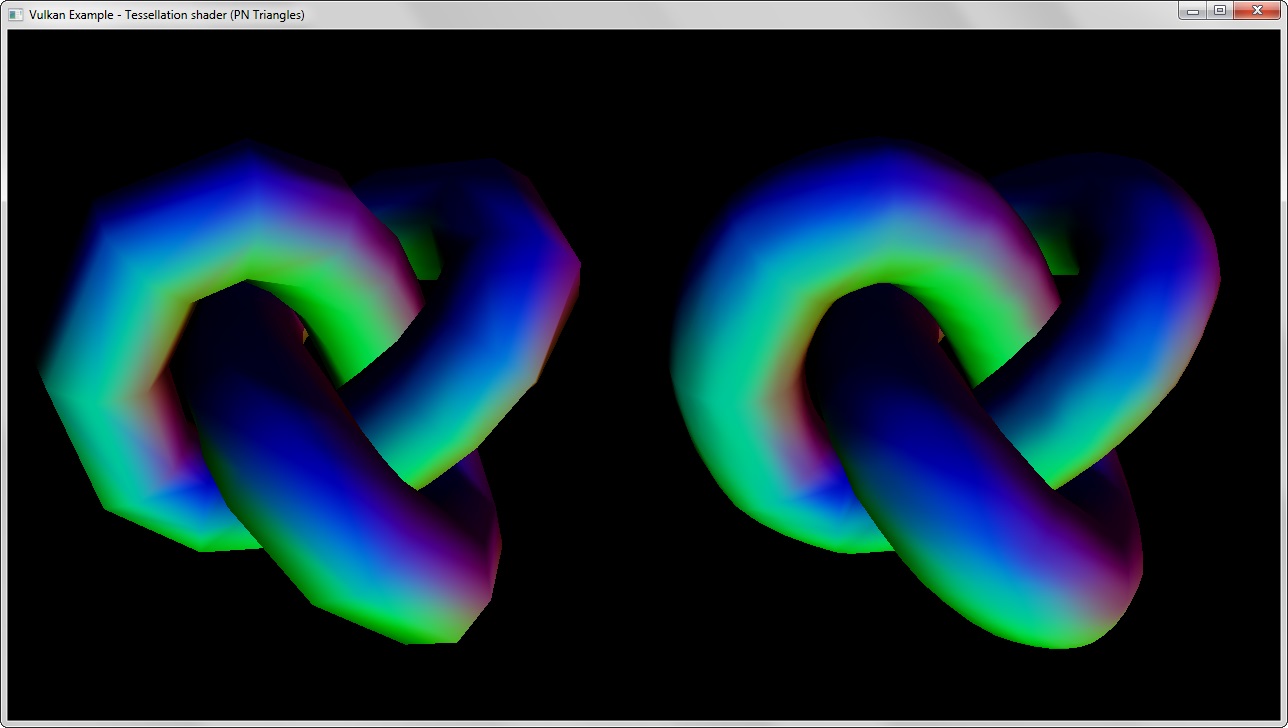 Generating curved PN-Triangles on the GPU using tessellation shaders to add details to low-polygon meshes, based on [this paper](http://alex.vlachos.com/graphics/CurvedPNTriangles.pdf).
### (Tessellation shader) Displacement mapping
Generating curved PN-Triangles on the GPU using tessellation shaders to add details to low-polygon meshes, based on [this paper](http://alex.vlachos.com/graphics/CurvedPNTriangles.pdf).
### (Tessellation shader) Displacement mapping
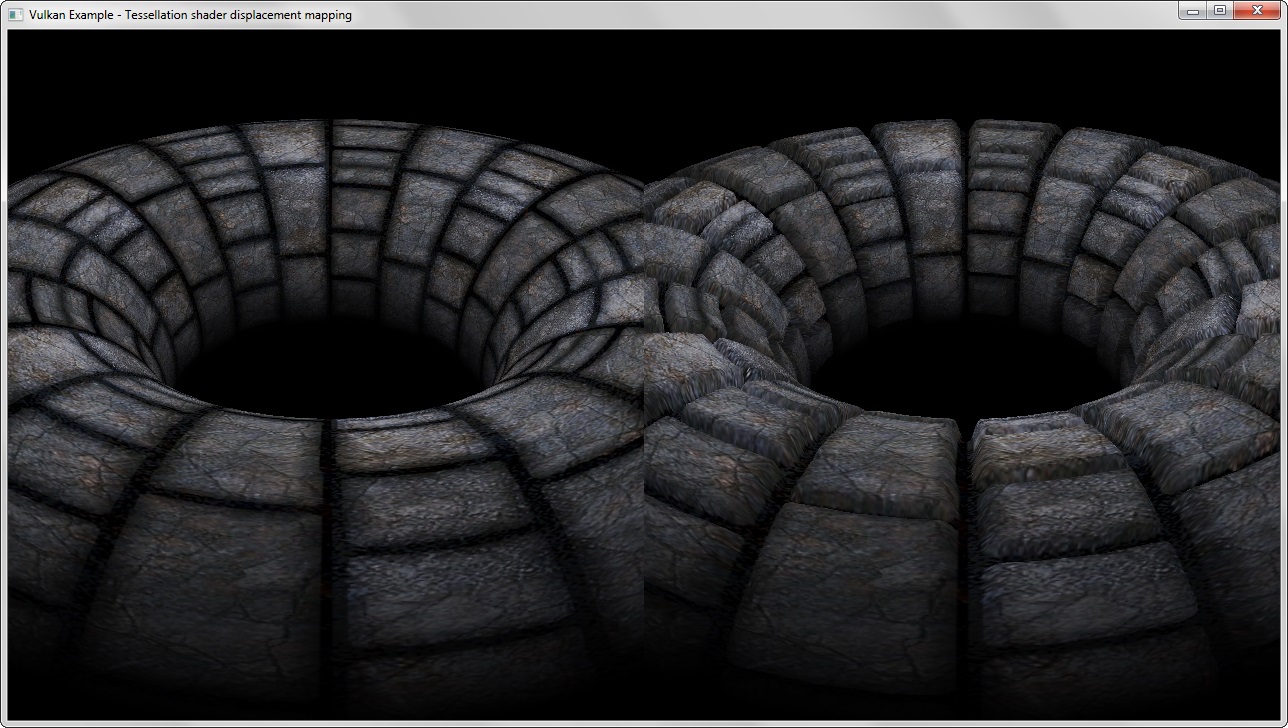 Uses tessellation shaders to generate and displace geometry based on a displacement map (heightmap).
### (Compute shader) Particle system
Uses tessellation shaders to generate and displace geometry based on a displacement map (heightmap).
### (Compute shader) Particle system
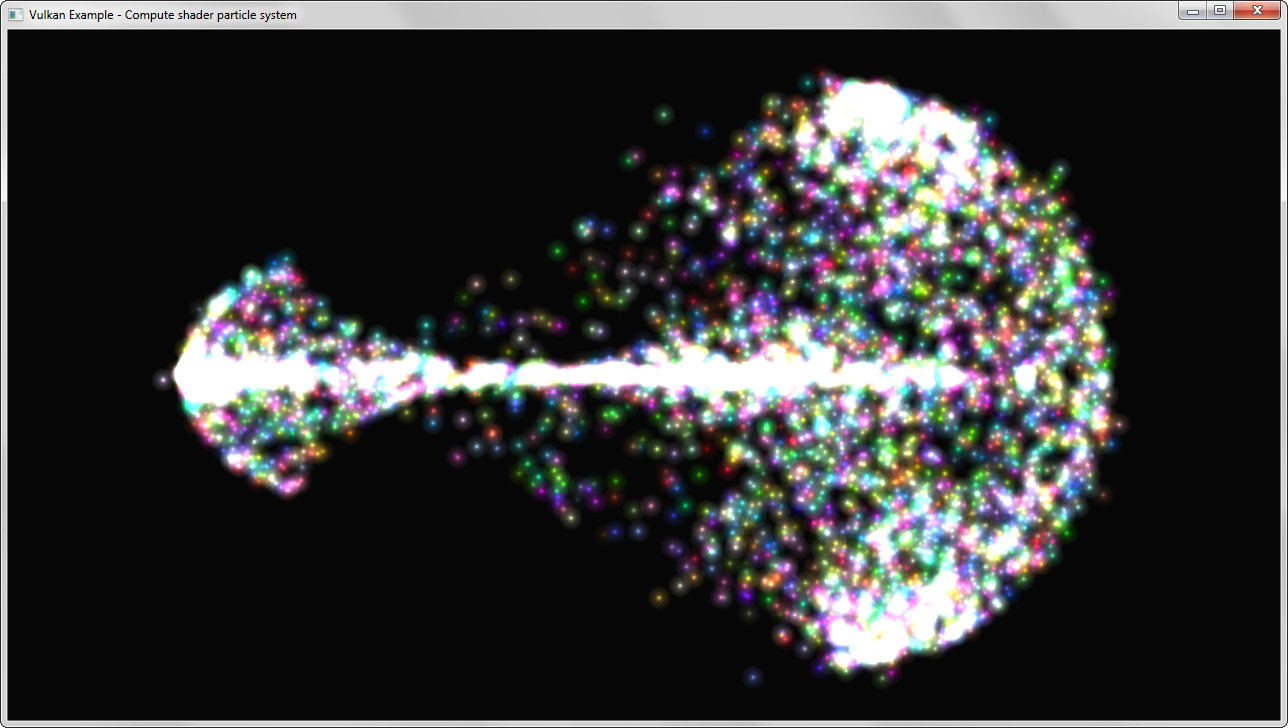 Attraction based particle system. A shader storage buffer is used to store particle data and updated by a compute shader. The buffer is then used by the graphics pipeline for rendering.
### (Compute shader) Image processing
Attraction based particle system. A shader storage buffer is used to store particle data and updated by a compute shader. The buffer is then used by the graphics pipeline for rendering.
### (Compute shader) Image processing
 Demonstrates the use of a separate compute queue (and command buffer) to apply different convolution kernels on an input image.
### (Geometry shader) Normal debugging
Demonstrates the use of a separate compute queue (and command buffer) to apply different convolution kernels on an input image.
### (Geometry shader) Normal debugging
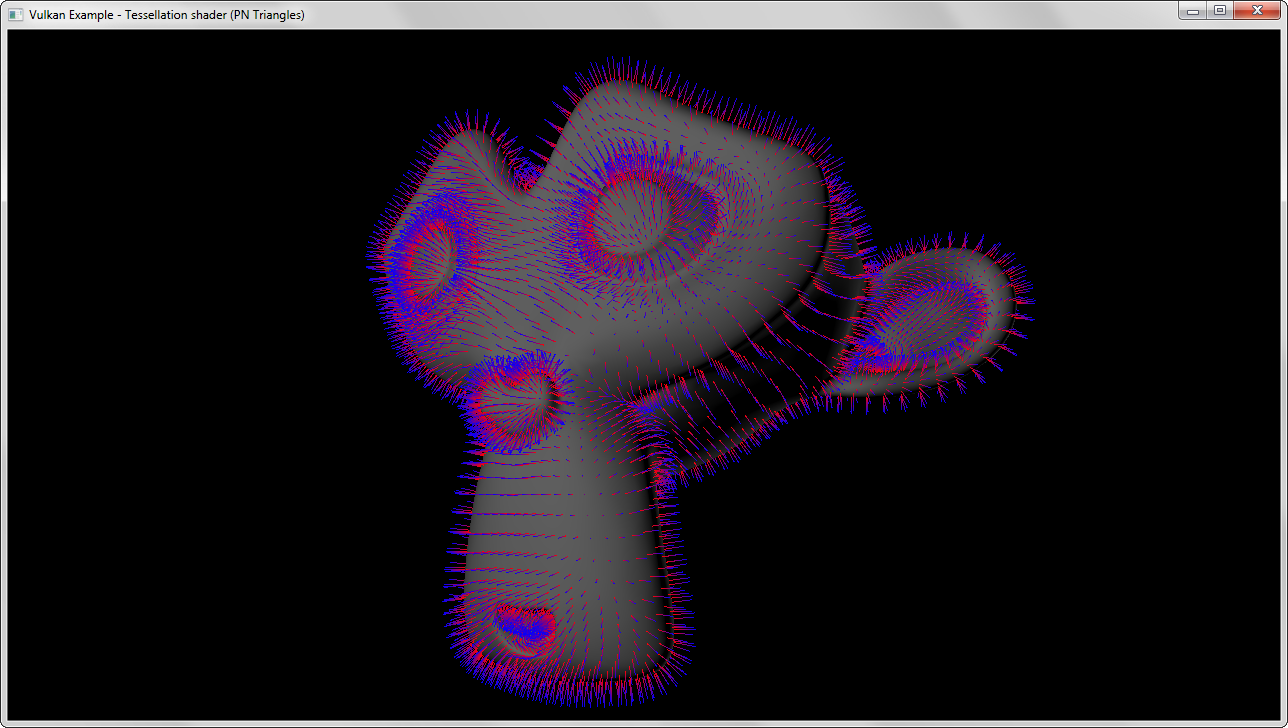 Renders the vertex normals of a complex mesh with the use of a geometry shader. The mesh is rendered solid first and the a geometry shader that generates lines from the face normals is used in the second pass.
### Vulkan demo scene
Renders the vertex normals of a complex mesh with the use of a geometry shader. The mesh is rendered solid first and the a geometry shader that generates lines from the face normals is used in the second pass.
### Vulkan demo scene
 More of a playground than an actual example. Renders multiple meshes with different shaders (and pipelines) including a background.
## Dependencies
*Note*: Included in the repository
- [OpenGL Mathematics (GLM)](https://github.com/g-truc/glm)
- [OpenGL Image (GLI)](https://github.com/g-truc/gli)
- [Open Asset Import Library](https://github.com/assimp/assimp)
- Vulkan Headers (not yet available)
## Attributions
- Cubemap used in cubemap example by [Emil Persson(aka Humus)](http://http://www.humus.name/)
## External resources
- [Official list of Vulkan resources](https://www.khronos.org/vulkan/resources)
- [SPIR-V specifications](https://www.khronos.org/registry/spir-v/specs/1.0/SPIRV.html)
More of a playground than an actual example. Renders multiple meshes with different shaders (and pipelines) including a background.
## Dependencies
*Note*: Included in the repository
- [OpenGL Mathematics (GLM)](https://github.com/g-truc/glm)
- [OpenGL Image (GLI)](https://github.com/g-truc/gli)
- [Open Asset Import Library](https://github.com/assimp/assimp)
- Vulkan Headers (not yet available)
## Attributions
- Cubemap used in cubemap example by [Emil Persson(aka Humus)](http://http://www.humus.name/)
## External resources
- [Official list of Vulkan resources](https://www.khronos.org/vulkan/resources)
- [SPIR-V specifications](https://www.khronos.org/registry/spir-v/specs/1.0/SPIRV.html)