 feb939096f
* Added helper function for easy pipeline vertex input state create info structure setup from glTF model vertex class * Split glTF loader into header and implementation * Updated sample to use glTF * Removed collada files Replaced assets are now part of the asset pack * Return value for glTF model vertex input state create info helper * Removed unused assets * Use glTF assets * Added default material for glTF node's without materials * Use glTF assets * Apply pre-transforms to normals * Use glTF assets * Use glTF assets * Use vertex input state from glTF model class * Scene setup * Use glTF assets * Use glTF assets * Display error message and exit if glTF file could not be loaded * Use glTF assets * Use glTF assets * Use glTF assets * Remove unused buffer binds * Use glTF assets * Remove no longer used model files * Remove no longer used model files * Added support for rendering glTF models with images * glTF model normal pre-transform ignores translation * Use glTF assets * Use glTF assets * Use glTF assets * Use glTF assets * Use glTF assets * Only add combined image samplers to pool if actually used in the scene * Use global descriptor set layouts * Use global descriptor set layouts * Use glTF assets * Use glTF assets * Use glTF assets Code cleanup Updated GLSL and HLSL shaders * Use glTF assets Code cleanup * Use glTF assets Code cleanup Updated GLSL and HLSL shaders * Remove no-longer used model * Use glTF assets Code cleanup Updated GLSL and HLSL shaders * Use glTF assets Code cleanup Updated GLSL and HLSL shaders Removed no-longer used model * Use glTF assets Code cleanup Use RGBA texture instead of different compressed formats Removed no-longer used assets * Adnrdoid build file * Use glTF assets Code cleanup and refactoring Updated GLSL and HLSL shaders * Added vertex count and way of passing additional memory property type flags to glTF loader * Use glTF assets Updated GLSL and HLSL shaders Removed no-longer used assets * Use glTF assets Updated GLSL and HLSL shaders * Remove unfinished sample * Completely reworked push constants sample Use glTF assets Updated GLSL and HLSL shaders Removed no-longer used assets * Android CMake build files * Removed un-used asset * Explicit buffer binding function * Use glTF assets Code cleanup Updated GLSL and HLSL shaders * Use glTF assets Code cleanup * Use glTF assets Code cleanup Removed no-longer used assets * Use glTF assets Code cleanup Updated GLSL and HLSL shaders Removed no-longer used assets * Remove no-longer used asset * Use glTF assets Code cleanup and refactoring Performance optimizations Updated GLSL and HLSL shaders Removed no-longer used assets * Use glTF assets Code cleanup and refactoring Updated GLSL and HLSL shaders Removed no-longer used assets * Use glTF assets Code cleanup and refactoring Updated GLSL and HLSL shaders Removed no-longer used assets * Use glTF assets Code cleanup and refactoring Removed no-longer used assets * Use glTF assets Code cleanup and refactoring Removed no-longer used assets * Use glTF assets Code cleanup and refactoring * Use glTF assets Code cleanup and refactoring * Use glTF assets Code cleanup and refactoring Removed no-longer used assets * Pass vertex size and calculate multiplier in shaders instead of hard-coding With this, changes to the glTF vertex structure won't break the ray tracing samples * Load tangents (if present) * Use glTF assets Code cleanup and heavy refactoring Reworked debug display code * Android build * Normal mapping fixes Udpated HLSL shaders * Use glTF assets Code cleanup and heavy refactoring Reworked debug display code Updated GLSL and HLSL shaders * Code cleanup, comments * Use glTF assets Code cleanup and heavy refactoring Reworked debug display code Updated GLSL and HLSL shaders * Added sample count to framebuffer create info * Removed no-longer used assets * Android build Removed no-longer used assets * Code cleanup and heavy refactoring Updated GLSL and HLSL shaders Use tangents stored in GLSL instead of calculating them in the fragment shader * Renamed textured PBR sample main cpp file * Use glTF assets Code cleanup and refactoring Updated GLSL and HLSL shaders Removed no-longer used assets * Use glTF assets Removed no-longer used assets * Android build files * Android build files * Use glTF assets Removed no-longer used assets * Fixed HLSL shaders * Android build files * Use glTF assets Updated GLSL and HLSL shaders Removed no-longer used assets * Use glTF assets Updated GLSL and HLSL shaders Removed no-longer used assets * Added flag to disable glTF image loading Useful for samples that use their own textures or don't use textures at all to speed up loading * Use glTF assets Code cleanup Use Sponza scene instead of Sibenik to better highlight the effect Updated GLSL and HLSL shaders * Updated Android build files * Removed left-over comment * Use Sponza scene for the SSAO sample * Removed unused code * Removed ASSIMP No longer required as all samples now use the glTF file format * Added missing vertex shader stage * Removed old ASSIMP-based model loader * Added support for loading external glTF images from ktx Android fixes for loading external buffer files * Scene setup * Added missing shader stages * Removed ASSIMP from build files * Fixed compiler warning * Removed ASSIMP from readmes * Android build files cleanup * Replaced ktx submodule with only the files required for this repo The ktx submodule was a tad too big and contained lots of files not required for this repo * Moved ktx build files into base project * Use glTF assets * Use glTF assets * Removed license files, will be moved to asset pack * Use RGBA textures * Use RGBA cubemp texture with face assignment based on original images Refs #679 * Android build files * Removed textures All textures will be moved to the asset pack * Ignore asset folders * Removed font Fonts will be moved to the asset pack * Link to gltf asset pack * Updated gitignore * Android build file |
||
|---|---|---|
| .. | ||
| README.md | ||
| texturemipmapgen.cpp | ||
Run-time mip-map generation
Synopsis
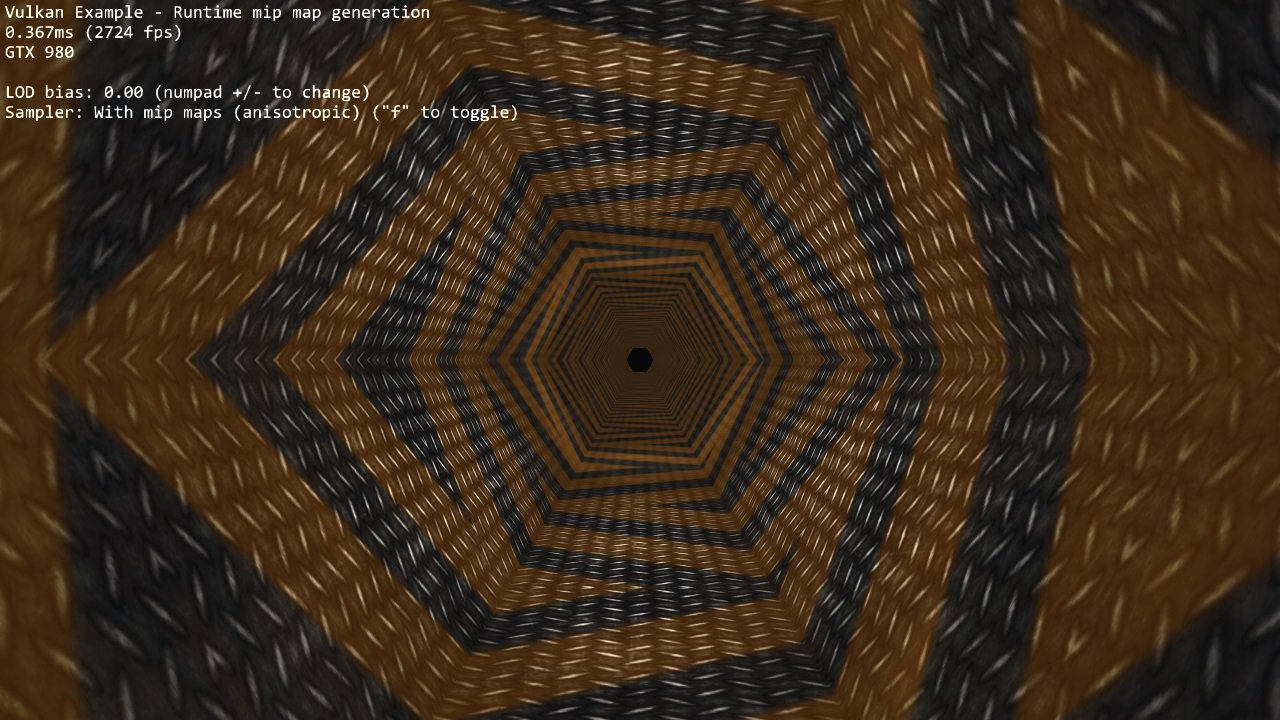
Generates a complete texture mip-chain at runtime from a base image using image blits and proper image barriers.
Requirements
To downsample from one mip level to the next, we will be using vkCmdBlitImage. This requires the format used to support the BLIT_SRC_BIT and the BLIT_DST_BIT flags. If these are not supported, the image format can't be used to blit and you'd either have to choose a different format or use e.g. a compute shader to generate mip levels. The example uses the VK_FORMAT_R8G8B8A8_UNORM that should support these flags on most implementations.
Note: Use vkGetPhysicalDeviceFormatProperties to check if the format supports the blit flags first.
Description
This examples demonstrates how to generate a complete texture mip-chain at runtime instead of loading offline generated mip-maps from a texture file.
While usually not applied for textures stored on the disk (that usually have the mips generated offline and stored in the file, see basic texture mapping example) this technique is used textures are generated at runtime, e.g. when doing dynamic cubemaps or other render-to-texture effects.
Having mip-maps for runtime generated textures offers lots of benefits, both in terms of image stability and performance. Without mip mapping the image will become noisy, especially with high frequency textures (and texture components like specular) and using mip mapping will result in higher performance due to caching.
Though this example only generates one mip-chain for a single texture at the beginning this technique can also be used during normal frame rendering to generate mip-chains for dynamic textures.
Some GPUs also offer asynchronous transfer queues (check for queue families with only the ? VK_QUEUE_TRANSFER_BIT set) that may be used to speed up such operations.
Points of interest
Image setup
Even though we'll only upload the first mip level initially, we create the image with number of desired mip levels. The following formula is used to calculate the number of mip levels based on the max. image extent:
texture.mipLevels = floor(log2(std::max(texture.width, texture.height))) + 1;
This is then passed to the image creat info:
VkImageCreateInfo imageCreateInfo = vkTools::initializers::imageCreateInfo();
imageCreateInfo.imageType = VK_IMAGE_TYPE_2D;
imageCreateInfo.format = format;
imageCreateInfo.mipLevels = texture.mipLevels;
...
Setting the number of desired mip levels is necessary as this is used for allocating the right amount of memory for the image (vkAllocateMemory).
Upload base mip level
Before generating the mip-chain we need to copy the image data loaded from disk into the newly generated image. This image will be the base for our mip-chain:
VkBufferImageCopy bufferCopyRegion = {};
bufferCopyRegion.imageSubresource.aspectMask = VK_IMAGE_ASPECT_COLOR_BIT;
bufferCopyRegion.imageSubresource.mipLevel = 0;
bufferCopyRegion.imageExtent.width = texture.width;
bufferCopyRegion.imageExtent.height = texture.height;
bufferCopyRegion.imageExtent.depth = 1;

vkCmdCopyBufferToImage(copyCmd, stagingBuffer, texture.image, VK_IMAGE_LAYOUT_TRANSFER_DST_OPTIMAL, 1, &bufferCopyRegion);
Prepare base mip level
As we are going to blit from the base mip-level just uploaded we also need to set insert an image memory barrier that sets the image layout to TRANSFER_SRC for the base mip level:
VkImageSubresourceRange subresourceRange = {};
subresourceRange.aspectMask = VK_IMAGE_ASPECT_COLOR_BIT;
subresourceRange.levelCount = 1;
subresourceRange.layerCount = 1;

vks::tools::insertImageMemoryBarrier(
  copyCmd,
  texture.image,
  VK_ACCESS_TRANSFER_WRITE_BIT,
  VK_ACCESS_TRANSFER_READ_BIT,
  VK_IMAGE_LAYOUT_TRANSFER_DST_OPTIMAL,
  VK_IMAGE_LAYOUT_TRANSFER_SRC_OPTIMAL,
  VK_PIPELINE_STAGE_TRANSFER_BIT,
  VK_PIPELINE_STAGE_TRANSFER_BIT,
  subresourceRange);
Generating the mip-chain
There are two different ways of generating the mip-chain. The first one is to blit down the whole mip-chain from level n-1 to n, the other way would be to always use the base image and blit down from that to all levels. This example uses the first one.
Note: Blitting (same for copying) images is done inside of a command buffer that has to be submitted and as such has to be synchronized before using the new image with e.g. a vkFence.
We simply loop over all remaining mip levels (level 0 was loaded from disk) and prepare a VkImageBlit structure for each blit from mip level i-1 to level i.
First the source for out blit. This is the previous mip level. The dimensions of the blit source are specified by srcOffset:
for (int32_t i = 1; i < texture.mipLevels; i++)
{
  VkImageBlit imageBlit{};

  // Source
  imageBlit.srcSubresource.aspectMask = VK_IMAGE_ASPECT_COLOR_BIT;
  imageBlit.srcSubresource.layerCount = 1;
  imageBlit.srcSubresource.mipLevel = i-1;
  imageBlit.srcOffsets[1].x = int32_t(texture.width >> (i - 1));
  imageBlit.srcOffsets[1].y = int32_t(texture.height >> (i - 1));
  imageBlit.srcOffsets[1].z = 1;
Setup for the destination mip level (1), with the dimensions for the blit destination specified in dstOffsets[1]:
  // Destination
  imageBlit.dstSubresource.aspectMask = VK_IMAGE_ASPECT_COLOR_BIT;
  imageBlit.dstSubresource.layerCount = 1;
  imageBlit.dstSubresource.mipLevel = i;
  imageBlit.dstOffsets[1].x = int32_t(texture.width >> i);
  imageBlit.dstOffsets[1].y = int32_t(texture.height >> i);
  imageBlit.dstOffsets[1].z = 1;
Before we can blit to this mip level, we need to transition its image layout to TRANSFER_DST:
  VkImageSubresourceRange mipSubRange = {};
  mipSubRange.aspectMask = VK_IMAGE_ASPECT_COLOR_BIT;
  mipSubRange.baseMipLevel = i;
  mipSubRange.levelCount = 1;
  mipSubRange.layerCount = 1;

  // Prepare current mip level as image blit destination
  vks::tools::insertImageMemoryBarrier(
    blitCmd,
    texture.image,
    0,
    VK_ACCESS_TRANSFER_WRITE_BIT,
    VK_IMAGE_LAYOUT_UNDEFINED,
    VK_IMAGE_LAYOUT_TRANSFER_DST_OPTIMAL,
    VK_PIPELINE_STAGE_TRANSFER_BIT,
    VK_PIPELINE_STAGE_TRANSFER_BIT,
    mipSubRange);
Note that we set the baseMipLevel member of the subresource range so the image memory barrier will only affect the one mip level we want to copy to.
Now that the mip level we want to copy from and the one we'll copy to have are in the proper layout (transfer source and destination) we can issue the vkCmdBlitImage to copy from mip level (i-1) to mip level (i):
  vkCmdBlitImage(
    blitCmd,
    texture.image,
    VK_IMAGE_LAYOUT_TRANSFER_SRC_OPTIMAL,
    texture.image,
    VK_IMAGE_LAYOUT_TRANSFER_DST_OPTIMAL,
    1,
    &imageBlit,
    VK_FILTER_LINEAR);
vkCmdBlitImage does the (down) scaling from mip level (i-1) to mip level (i) using a linear filter.
After the blit is done we can use this mip level as a base for the next level, so we transition the layout from TRANSFER_DST_OPTIMAL to TRANSFER_SRC_OPTIMAL so we can use this level as transfer source for the next level:
  // Prepare current mip level as image blit source for next level
  vks::tools::insertImageMemoryBarrier(
    copyCmd,
    texture.image,
    VK_ACCESS_TRANSFER_WRITE_BIT,
    VK_ACCESS_TRANSFER_READ_BIT,
    VK_IMAGE_LAYOUT_TRANSFER_DST_OPTIMAL,
    VK_IMAGE_LAYOUT_TRANSFER_SRC_OPTIMAL,
    VK_PIPELINE_STAGE_TRANSFER_BIT,
    VK_PIPELINE_STAGE_TRANSFER_BIT,
    mipSubRange);
}
Final image layout transitions
Once the loop is done we need to transition all mip levels of the image to their actual usage layout, which is SHADER_READ for this example. Note that after the loop all levels will be in the TRANSER_SRC layout allowing us to transfer the whole image at once:
  subresourceRange.levelCount = texture.mipLevels;
  vks::tools::insertImageMemoryBarrier(
    copyCmd,
    texture.image,
    VK_ACCESS_TRANSFER_READ_BIT,
    VK_ACCESS_SHADER_READ_BIT,
    VK_IMAGE_LAYOUT_TRANSFER_SRC_OPTIMAL,
    VK_IMAGE_LAYOUT_SHADER_READ_ONLY_OPTIMAL,
    VK_PIPELINE_STAGE_TRANSFER_BIT,
    VK_PIPELINE_STAGE_FRAGMENT_SHADER_BIT,
    subresourceRange);
Submitting that command buffer will result in an image with a complete mip-chain and all mip levels being transitioned to the proper image layout for shader reads.
Image View creation
The Image View also requires information about how many Mip Levels are used. This is specified in the VkImageViewCreateInfo.subresourceRange.levelCount field.
  VkImageViewCreateInfo view = vks::initializers::imageViewCreateInfo();
  view.image = texture.image;
  view.viewType = VK_IMAGE_VIEW_TYPE_2D;
  view.format = format;
  view.components = { VK_COMPONENT_SWIZZLE_R, VK_COMPONENT_SWIZZLE_G, VK_COMPONENT_SWIZZLE_B, VK_COMPONENT_SWIZZLE_A };
  view.subresourceRange.aspectMask = VK_IMAGE_ASPECT_COLOR_BIT;
  view.subresourceRange.baseMipLevel = 0;
  view.subresourceRange.baseArrayLayer = 0;
  view.subresourceRange.layerCount = 1;
  view.subresourceRange.levelCount = texture.mipLevels;